












Applictus Application Status Tracker

Simplify your job search and never miss an opportunity.

Automatically track confirmations, interviews, and rejections from your inbox — all in one organized timeline.

No inbox access required
Works with Gmail instantly
Disconnect anytime

Tracks emails from all job platforms

Works with emails from these platforms — not affiliated.

Product Overview

Turn your inbox into a live job application dashboard

Applictus transforms your incoming job-related emails into a structured, continuously updated timeline — so you can track every application without spreadsheets or manual work.

  • Automatically captures confirmations, interviews, and rejections.
  • Keeps every company and role organized in one place.
  • Updates in real-time as new emails come in.
Inbox-powered tracking No spreadsheets Auto-organized timelines

Dashboard Preview

Applications at a glance

Showing 5 of 36 tracked
Company Role Status
CBRE Data Center Change Management Coordinator NEWInterview requested
Valley National Bank Sr. Analyst, Business Management Applied
Commonpoint IT Support Specialist Offer
Pereless Systems Product Support Specialist Rejected
Greenhouse Labs Front End Web Application Developer Under review

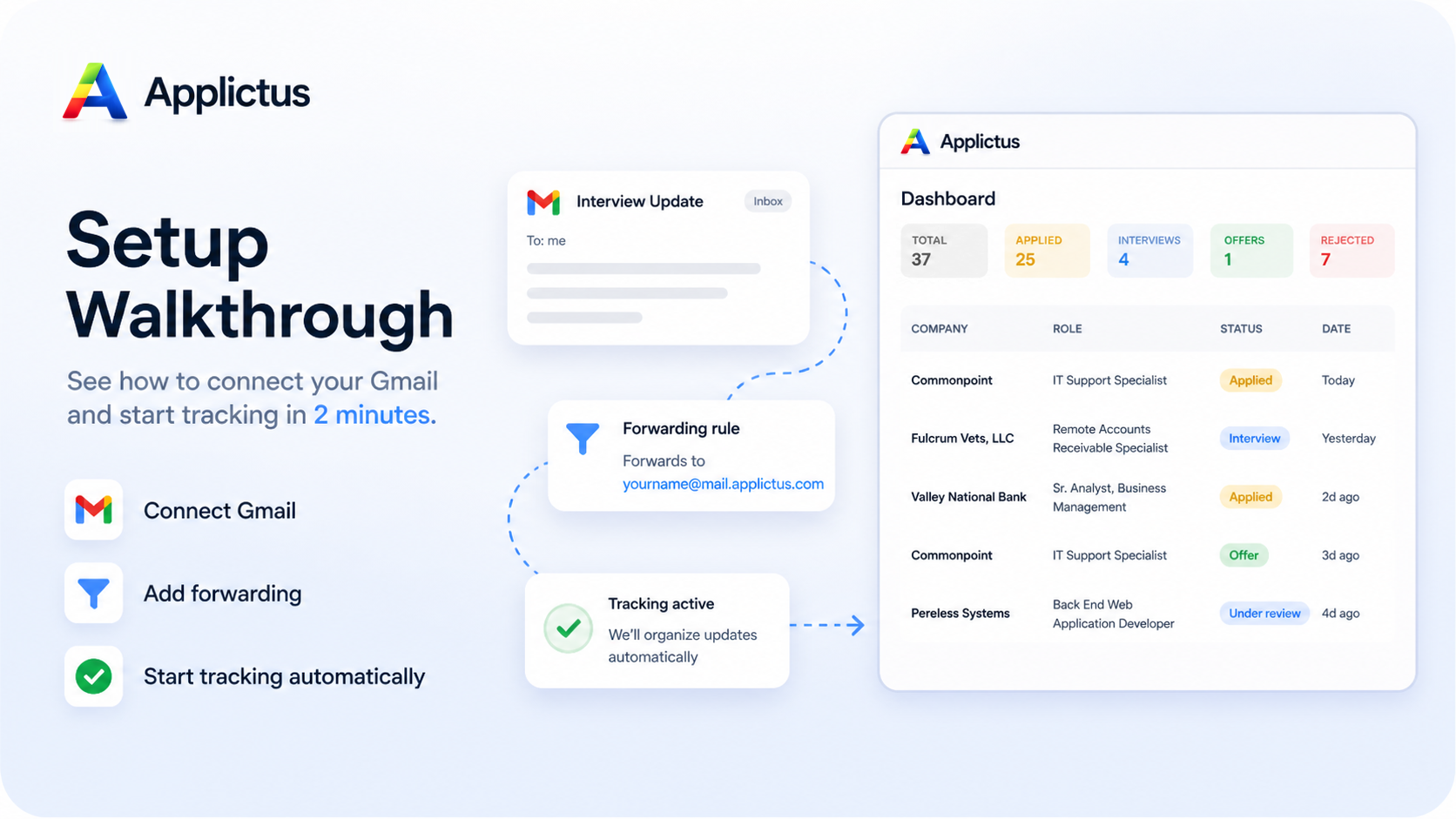
Get started in minutes

Set up your inbox in minutes

Set up once and Applictus keeps every application update organized automatically.

Time to set up: ~2 minutes
  • No technical setup required
  • Works with Gmail and most email providers
  • Takes less than 2 minutes to start tracking

One-time setup

Three quick steps and Applictus starts tracking automatically.

  1. 1

    Get your personal Applictus inbox

    Create your unique tracking address (e.g. jason@mail.applictus.com) in seconds.

  2. 2

    Add it to your email once

    Add your Applictus inbox to forwarding or a filter one time.

  3. 3

    Everything updates automatically

    Confirmations, interviews, and rejections flow into one live timeline automatically.

Secure sign-in with minimal permissions

Built with clear boundaries from day one.

Authentication and inbox forwarding stay separate, so account access remains secure while tracking stays reliable.

Scope requested

openid email profile

  • No Gmail inbox access or reading permissions.
  • Google is used only for authentication.
  • Your data flows through controlled forwarding — not direct inbox access.

Stop missing important job updates

Set up your inbox once and stay on top of every opportunity automatically.